
Simplify Your Pharmacy Stock Management: A Guide to the PharNix 'Manage Medicine' System
Running a successful pharmacy is a balancing act. The biggest challenge? Keeping your Inventory (Stock) updated in real-time. Missing a looming expiry date or running out of a life-saving drug isn't just a management glitch—it’s a direct hit to your reputation and your bottom line.
The PharNix Pharmacy Software was built to turn this chaos into clarity. Specifically, our 'Manage Medicine' feature is designed to give you total control over your shelves. Here is how you can master your stock using PharNix.
1. Dashboard Control: Your Business at a Glance
The moment you log into PharNix, the dashboard acts as your "command center." You don’t have to dig through files to find problems; the problems find you.

You will see four critical, color-coded alerts:
Out of Stock: Items that need immediate reordering.
Expired Medicines: Stock that must be removed from shelves immediately.
Low Stock Alerts: Your "early warning system" for medicines running low.
Expiring Soon: A 90-day heads-up on upcoming expiries.
2. The Smart 'Manage Medicine' Interface
When you dive into the Manage Medicines section, you are greeted with a clean, organized digital ledger. Every entry includes the Batch ID, Expiry Date, Current Quantity, and MRP.
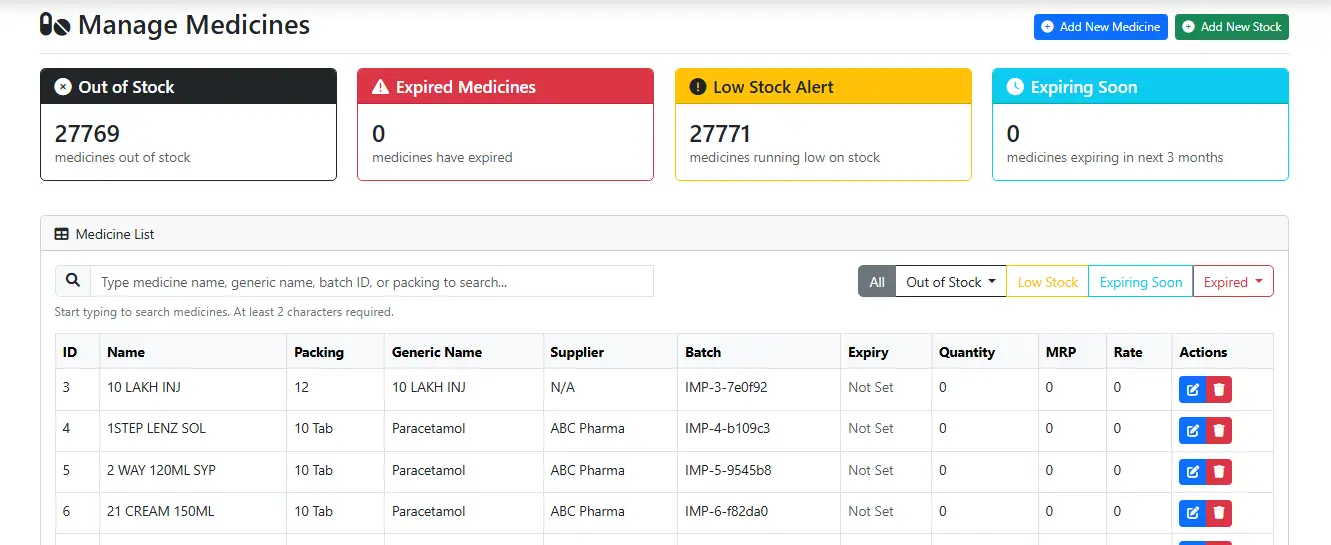
Efficiency Tip: Use the Smart Search Bar. Whether you remember the brand name, the formula (generic), or just the Batch ID, PharNix finds it in milliseconds.
Looking to add new stock? Check out our step-by-step guide here:
Looking to add new stock? Check out our step-by-step guide here:
🔗 Guide: How to Add New Medicines in PharNix
3. Precision Filtering: No More Manual Audits
Manual expiry checks are the most hated task in any medical store. PharNix automates this through Smart Filters. Instead of checking every box on the shelf, you can filter your entire inventory by:
Expiry Windows: View what expires in the next 30, 90, or 180 days.
Stock Status: Instantly list everything that hit zero today or this week.
4. Effortless Updates & Edits
Market prices change and shipments arrive daily. PharNix makes updating these details seamless. Beside every medicine entry, you'll find a Blue Edit Button.
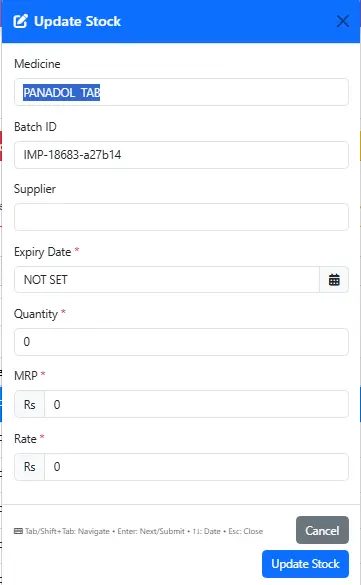
Clicking this allows you to:
Adjust Quantity after a fresh delivery.
Update Expiry Dates for new batches.
Modify MRP/Rates to stay aligned with market shifts.
5. Why Choose PharNix for Your Pharmacy?
In the pharmaceutical world, there is no room for "human error." PharNix moves you away from dusty registers and into the era of Digital Accuracy. By using this system, you don't just save time—you eliminate the financial leaks caused by expired stock and missed sales.
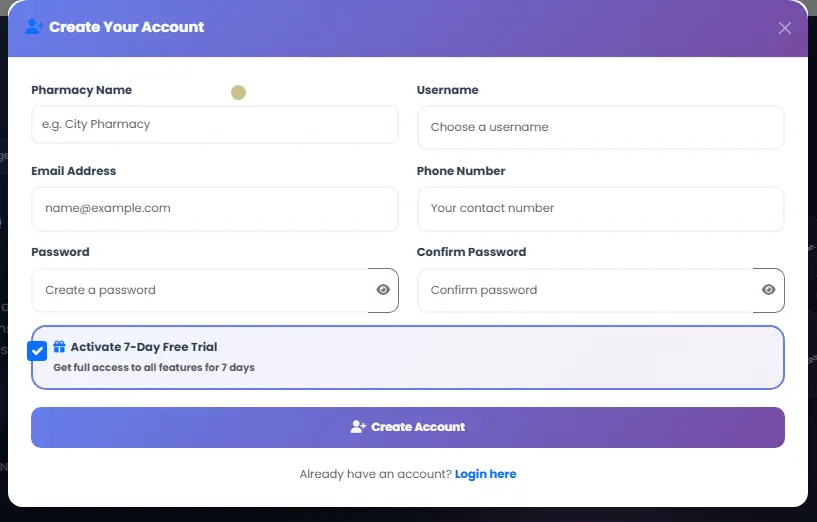
Stop managing your pharmacy like it’s 1999. Switch to Digital. Sign up today for a 7-Day Free Trial and experience the PharNix difference.
| Key Feature | Business Benefit | Impact |
|---|---|---|
| 🔔 Low Stock Alert | Prevents "Out of Stock" scenarios and ensures you never lose a customer. | High Priority |
| 📦 Batch Tracking | Provides 100% traceability for every single tablet for audit safety. | Accurate |
| 🔍 Smart Search | Saves hours of manual searching—find any medicine in under 2 seconds. | Time Saver |
| 📅 Auto Expiry List | Facilitates timely returns to distributors, preventing financial loss. | Safety First |


