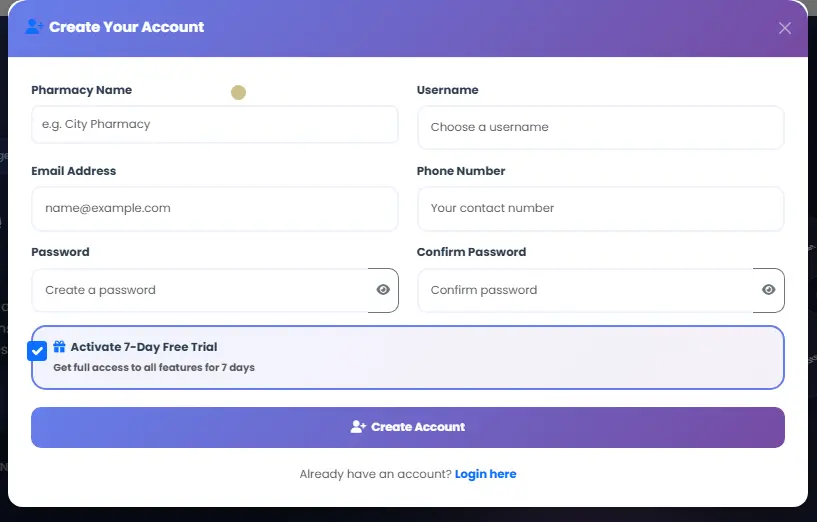
Master Your Pharmacy Sales: How to Manage Invoices in PharNix
For any pharmacy owner, keeping track of every pill sold and every rupee earned is vital. PharNix Pharmacy Software offers a robust Manage Invoices module designed to give you 100% control over your billing, payments, and data security.
In this comprehensive guide, we will explore the advanced features of the PharNix invoicing system, including real-time tracking and emergency data recovery.
1. Real-Time Financial Overview
The Manage Invoices dashboard acts as your financial command center. At a single glance, you can monitor the pulse of your pharmacy’s sales.
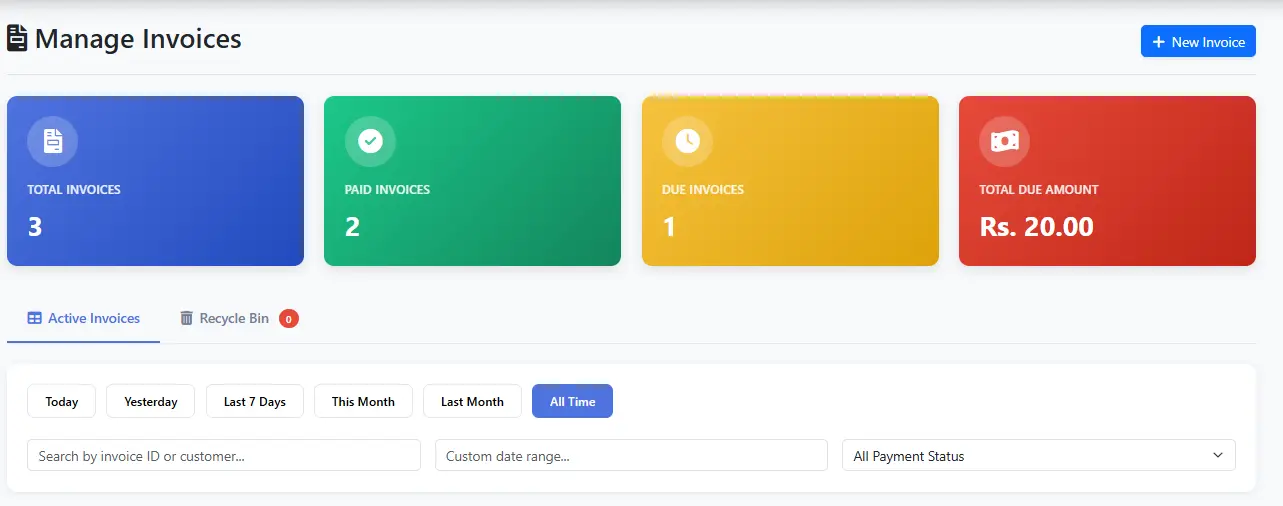
Total Invoices: Monitor your total sales volume.
Paid vs. Due: Instantly see how much cash is in hand versus how much is still owed by customers.
Total Due Amount: A critical metric to help you manage your cash flow and collections.
2. Creating New Sales Records
Ready to serve a customer? The "+ New Invoice" button is your starting point for professional billing. For a deep dive into the creation process, visit our dedicated guide:
🔗 Step-by-Step: 👉
3. Deep Dive: Viewing Invoice Details
Transparency is key in pharmacy management. By clicking the "View" (eye icon), you can open the Invoice Details modal. This provides a granular look at any transaction.
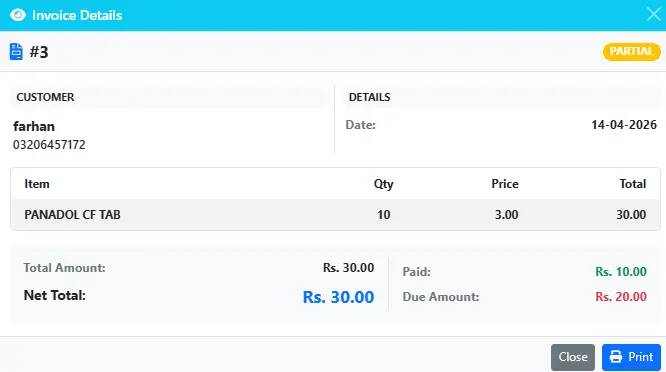
In this view, you can see:
Customer Info: Full name and contact details for easy follow-ups.
Line Items: Exactly which medicines were sold (e.g., Panadol CF), the quantity, and the price per unit.
Payment Breakdown: Clear distinction between the Total Amount, the Paid Amount, and the Due Amount.
Print Option: Directly print the receipt from this view if the customer needs a duplicate.
4. Advanced Filtering and Search
PharNix uses Smart Search technology. Whether you have 100 or 100,000 records, you can filter by:
Date Range: Today, Last 7 Days, or Custom Month ranges.
Payment Status: Filter by "Paid," "Partial," or "Due" to prioritize collections.
Instant Search: Type the Invoice ID or Customer Name to find a bill in milliseconds.
5. Data Protection: The Invoice Recycle Bin
One of the most powerful features of PharNix is its Safety Net. Accidental deletions happen, but with PharNix, they aren't permanent.

When an invoice is deleted, it moves to the Recycle Bin. Here, you can see:
Deleted Date & Time: Know exactly when a record was removed.
Restore Button: With one click, bring the invoice back to your active list without losing any data.
Delete Forever: Only an authorized admin can permanently wipe a record.
This feature ensures that your Pharmacy Audit Trail remains intact and protected from accidental loss.
Why PharNix is the Best Choice for Your Medical Store
Eliminate Manual Errors: Automate your calculations and reduce billing mistakes.
Professional Image: Give your customers printed, professional receipts.
Secure Data Recovery: Never worry about losing a bill again thanks to the Recycle Bin.
Optimized for Speed: Designed for busy retail environments where every second counts.
Take your pharmacy to the next level today! Start your 7-Day Free Trial and see why hundreds of pharmacies trust PharNix.